The Best IPTV Player I Trust for Quality Streaming 2026
August 19, 2026
When it comes to choosing a reliable IPTV player for quality streaming in 2026, I confidently recommend TiviMate. This application stands out, especially for users of Firestick and Android TV. Its well-designed electronic programme guide (EPG) and seamless live TV performance make it a top choice for many.
Understanding the difference between an IPTV player and the subscription service it connects to is crucial. The player is the software you install on your device, while the subscription provides the actual content streams. This distinction is often overlooked by new users, leading to confusion.
In this guide, I will explore essential playlist formats, such as M3U URLs and Xtream Codes, which are vital for setting up your player. Each format has its advantages, and knowing them will enhance your streaming experience.
Throughout this article, I will share insights from my hands-on testing with various devices, ensuring you have the information needed to make an informed choice. With numerous options available for UK users in 2026, this guide aims to highlight those worth your time.
Key Takeaways
- TiviMate is my top recommendation for Firestick and Android TV users.
- Understanding the distinction between a player and a subscription service is essential.
- M3U URLs and Xtream Codes are key playlist formats to know.
- My guide focuses on the player side, not subscription services.
- Real-world testing on various devices will be covered.
- Numerous options exist for UK IPTV users in 2026.
Understanding User Intent: What Makes the Best IPTV Player in 2026?
Understanding what users truly need from their IPTV software is essential in 2026. Many individuals focus primarily on the subscription service, considering factors like channel count and content quality. However, the player you choose significantly influences your overall experience.
A great service can become frustrating when paired with a clunky app. Conversely, a decent service running through a well-designed player can feel remarkably seamless. The streaming quality is not just about the service but also hinges on the combination of your provider’s server capacity and your internet connection stability.
Device compatibility should be your first filter. A player that excels on Firestick may not even exist for Windows, and vice versa. For instance, TiviMate lacks a Windows version, while PlayerFab is exclusively for Windows, lacking support for Android TV or Firestick.
Another critical aspect is the interface and usability. A clunky, nested-menu design can add friction to every channel change, turning a relaxing viewing session into a frustrating exercise in navigation. The best IPTV player for you will depend on whether you primarily watch live TV channels, VOD films, or a mix of both.
Understanding the difference between M3U and Xtream Codes formats is vital. Xtream Codes generally offers a cleaner, more organised EPG experience for larger channel catalogues. Moreover, if you plan to try different IPTV subscription services, having multiple playlist support becomes essential.
In summary, recognising your own user intent before selecting a player can save you hours of setup time. It prevents the disappointment of discovering a critical missing feature after you’ve invested time in configuration. Ultimately, the decision boils down to two simple variables: which platform you are on and how much setup time you are willing to invest.
Why Choosing the Best IPTV Player Matters for Your Viewing Experience
In the realm of streaming, the choice of an IPTV player is just as crucial as the subscription service itself. Many users often conflate these two concepts, leading to confusion and frustration. An IPTV player is the client application you install on your device, responsible for managing the playback interface, EPG guide, catch-up features, and VOD browsing. In contrast, the IPTV subscription service provides the actual channel streams.
To clarify, popular players include PlayerFab, TiviMate, Kodi, and IPTV Smarters Pro. Understanding this distinction is vital for making an informed choice. Many top-ranked results focus on subscription services rather than the players themselves, which can mislead newcomers seeking quality streaming solutions.
The impact of player features on your daily viewing experience cannot be overstated. A well-designed EPG grid, for instance, transforms channel browsing from a frustrating guessing game into a seamless experience akin to a traditional TV guide. Features such as catch-up TV support, which allows you to rewatch broadcasts from the last 24 to 72 hours, can significantly enhance your viewing flexibility. Often, these features are underestimated until you have them at your disposal.
Moreover, multiple playlist support is essential if you wish to explore different IPTV subscription services without the hassle of reinstalling everything. TiviMate excels in this area, particularly on its premium tier. Additionally, codec support plays a crucial role in ensuring picture quality and stream stability. Players that support a wider range of codecs can handle various stream formats without sacrificing quality or experiencing buffering issues.
In conclusion, selecting the right IPTV player is not a secondary consideration; it is equally important as choosing the right service. The player is your primary interface for interacting with content every time you sit down to watch television. A great service paired with a poorly designed app can lead to frustration, while a decent service through a well-built player can offer a surprisingly cable-like experience.
Top 5 IPTV Players I Recommend for 2026
As we delve into the top IPTV applications for 2026, it’s essential to consider their unique features and capabilities. Here are my five recommended IPTV players, complete with a comparison table that covers platform availability, format support, EPG capabilities, and pricing. This will help you identify the right fit before diving into detailed breakdowns.
| Player | Platform Availability | Format Support | EPG Features | Pricing |
|---|---|---|---|---|
| PlayerFab | Windows | IPTV, Blu-ray, UHD | Standard | Free |
| TiviMate | Firestick, Android TV | IPTV | Grid EPG, Catch-up | Free (limited), $4.99 (premium) |
| IPTV Smarters Pro | Windows, Android, Firestick, iOS | M3U, Xtream Codes | Standard | Free (Windows), $2.99 (Firestick) |
| Kodi with PVR IPTV Simple Client | Windows, Firestick | M3U | Standard | Free |
| OTT Navigator | Firestick, Android TV | M3U, Xtream Codes | Multi-tab EPG | One-time purchase of $4.99 |
PlayerFab: The All-in-One Windows Media Hub
PlayerFab is my top recommendation for Windows users who manage a mix of Blu-ray discs, local media files, and streaming services alongside live IPTV. It keeps all four sources in one application and supports HDR and Dolby Atmos output without additional codec installation. However, it lacks versions for Android TV, Firestick, and macOS.
TiviMate: The Gold Standard for Firestick and Android TV
TiviMate has become the most-recommended dedicated IPTV application in the Firestick and Android TV communities. It features a grid EPG with corner preview, allowing you to browse the programme schedule without interrupting playback. The premium tier supports multiple playlists, while the free version limits users to one playlist and disables recording.
IPTV Smarters Pro: Versatile Cross-Platform Player
This player runs on Windows, Android, Firestick, and iOS from the same login, making it practical for users who need the same application across multiple devices. The Windows version is free, while the Firestick version costs $2.99 as a one-time purchase. Its interface uses more nested menus than TiviMate, but it supports both Xtream Codes and M3U.
Kodi with PVR IPTV Simple Client: Feature-Rich and Free
Kodi is an open-source media centre that runs natively on Windows and can be installed on Firestick via sideloading. The PVR add-on handles EPG display, live channel recording, and M3U playlist loading. Initial setup takes 20 to 30 minutes for a first-time user, but once configured, it runs without further maintenance.
OTT Navigator: One-Time Purchase without Subscriptions
OTT Navigator is an Android TV and Firestick IPTV client built around a tabbed content model. It features a multi-tab layout, EPG with reminder and catch-up access, and a one-time purchase of roughly $4.99 with no monthly subscription. However, it is designed for TV-connected devices only and lacks a Windows version.
In conclusion, the right choice of application depends on two variables: which platform you are on and how much setup time you are willing to invest. Each player has its strengths and limitations, so consider what matters most for your viewing experience.
Best IPTV Players by Platform and Use Case
In 2026, selecting the right IPTV application based on your device is crucial for an optimal streaming experience. Different platforms have unique requirements, and understanding these can significantly enhance your viewing pleasure.
Windows PC: PlayerFab and Kodi
For Windows PC users, I recommend PlayerFab as the top choice. This application seamlessly handles IPTV streams alongside local Blu-ray discs, DVDs, and popular streaming services like Netflix and Amazon. It allows you to manage all your media in one place, removing the hassle of switching between different tools.
If you’re looking for a completely free solution, consider Kodi with the PVR IPTV Simple Client add-on. While it requires a bit of initial configuration—around 20 to 30 minutes—it offers a robust experience without any costs involved.
Firestick and Android TV: TiviMate, IPTV Smarters Pro, and OTT Navigator
For those using Firestick or Android TV, TiviMate is the definitive recommendation for users focused on live TV. Its grid EPG, catch-up support, and multi-playlist management make it an excellent choice for those who spend most of their viewing time on live channels.
IPTV Smarters Pro is another versatile option that runs on both Windows and Firestick. This app allows for quick setup across devices, maintaining a consistent interface that makes switching between platforms easy.
For a one-time cost of roughly $4.99, OTT Navigator provides premium features without the burden of a monthly subscription. This is ideal for users who want advanced capabilities without ongoing fees.
Mobile Devices: IPTV Smarters Pro and XCIPTV
On mobile devices, IPTV Smarters Pro stands out for its cross-platform consistency across Android and iOS. This makes it a convenient choice for users who want a unified experience across their devices.
Additionally, XCIPTV has garnered a loyal following among users who enjoy a lot of VOD content alongside live channels. Its polished browsing experience features large thumbnails, cast information, and synopses, making it easy to find what to watch. It also supports both ExoPlayer and VLC playback engines, which helps in handling various stream formats effectively.
In conclusion, the best IPTV player is the one that fits your specific device ecosystem and viewing habits. By choosing wisely, you can ensure a smooth and enjoyable streaming experience tailored to your needs.
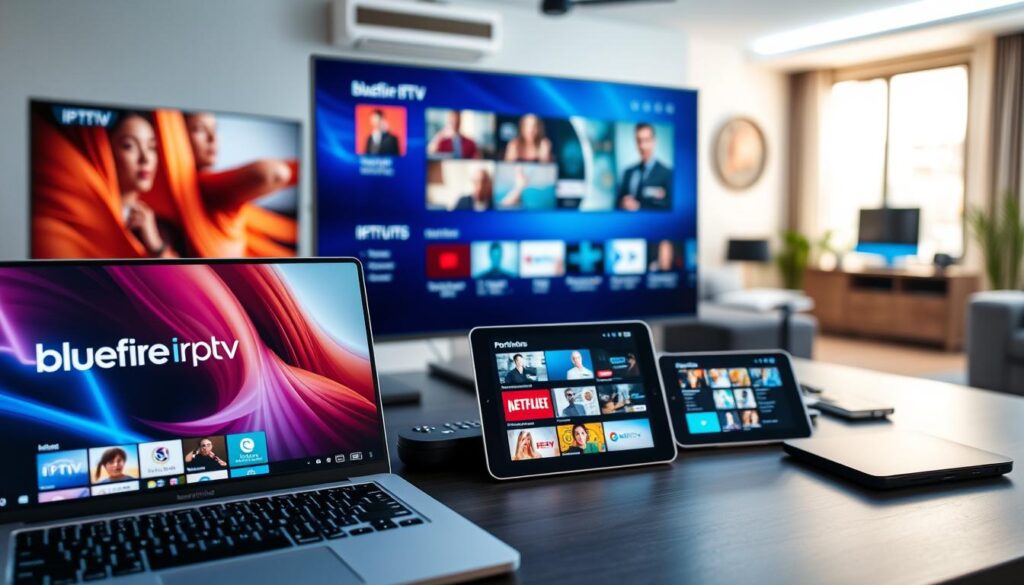
Key Features to Look for in the Best IPTV Player
Identifying the essential features that enhance your IPTV experience is vital for making the right choice. The right iptv player can transform your viewing habits, making them more enjoyable and seamless. Here’s a checklist of key features to consider when evaluating any player.
EPG Support and Electronic Programme Guides
A robust electronic programme guide (EPG) is essential. It tells you what is currently airing and what’s coming up next, making browsing feel intuitive. A well-designed EPG, especially one with a grid layout and corner preview, allows for a user-friendly experience akin to traditional TV guides. TiviMate’s EPG is widely regarded as the best in this category, making it a top choice for many users.
Multiple Playlist and Provider Management
Multiple playlist support is crucial if you want to explore different IPTV subscription services. This feature allows you to separate live TV from VOD streams easily. TiviMate excels in this area, particularly in its premium tier, enabling users to manage various providers without the hassle of reinstalling everything.
Catch-Up TV and Recording Capabilities
Catch-up TV is a feature that many underestimate until they experience it. Being able to revisit content you missed in the last 24 to 72 hours can be invaluable. Additionally, TiviMate Premium offers scheduled recording, allowing you to capture live content directly to your device’s storage.
Codec Support and Playback Stability
Codec support directly impacts picture quality and stream stability. Players that support a wider range of codecs, like XCIPTV with its built-in ExoPlayer and VLC engines, can handle various stream formats without compromising quality or causing buffering issues. This stability is essential for a satisfying viewing experience.
Parental Controls and User Profiles
For families, parental controls and user profiles are important features. IPTV Smarters Pro includes these controls, along with cache management and buffer size adjustments through in-app settings. TiviMate integrates parental controls, favourites management, and EPG reminders into one cohesive interface, enhancing usability for all family members.
In conclusion, the best IPTV player is not merely the one with the longest feature list. Instead, it is the one whose features align with how you actually watch television. Use this checklist to ensure you choose a player that meets your viewing needs effectively.
| Feature | TiviMate | IPTV Smarters Pro |
|---|---|---|
| EPG Support | Excellent | Standard |
| Multiple Playlists | Yes (Premium) | Yes |
| Catch-Up TV | Yes | No |
| Codec Support | Wide Range | Moderate |
| Parental Controls | Yes | Yes |
Getting Started: Setting Up Your IPTV Player for Optimal Performance
Setting up your IPTV player correctly is the first step towards an enjoyable streaming experience. Understanding the playlist formats is crucial for a smooth setup. The two most common formats are M3U and Xtream Codes.
Understanding Playlist Formats: M3U and Xtream Codes
The M3U format is a simple text file or URL that lists channel stream addresses. Every player mentioned in this guide supports M3U natively. On the other hand, Xtream Codes (or XC API) is a login-based format that uses a server URL, username, and password. This format is better suited for larger channel catalogues and generally provides a cleaner EPG experience.
If your provider offers both options, I recommend choosing Xtream Codes for a more organised programme guide and less manual configuration.
Step-by-Step Setup for Popular Players
Setting up your IPTV player is straightforward. Here are the steps for each of the five recommended players:
- TiviMate: Go to Settings > Playlists > Add Playlist > M3U URL.
- IPTV Smarters Pro: Select Add User > M3U URL.
- Kodi: Enable the PVR IPTV Simple Client add-on, open its settings, and paste your M3U URL.
- OTT Navigator: Navigate to Playlists > Add > M3U URL.
- PlayerFab: Access the IPTV section and enter the M3U link.
If your provider uses Xtream Codes, simply select the Xtream Codes or XC API option at the same step and enter the server URL, username, and password.
Tips for Organising Channels and Playlists
After setting up, take a moment to organise your channels and playlists. For instance, TiviMate offers favourites management, allowing you to create a customised channel list. IPTV Smarters Pro enables cross-device synchronisation, so your setup is consistent across all devices.
Additionally, OTT Navigator’s tabbed layout helps keep live TV, VOD, and catch-up content separated for quicker navigation. Spending just 10 minutes organising your channels can greatly enhance your viewing experience.
Lastly, remember that most buffering issues during setup are network-related rather than player-related. A wired Ethernet connection with a speed of 25 Mbps or above can resolve the majority of these issues.
Subscription Options and Pricing: What You Should Know
Understanding the pricing landscape of IPTV players is crucial for making informed decisions. Cost often plays a significant role in choosing the right application, and it’s essential to weigh your options carefully.
Free vs Paid IPTV Players
When considering IPTV applications, users typically encounter two main categories: free and paid options. Kodi with the PVR IPTV Simple Client add-on is entirely free at every feature level on both Windows and Firestick. This makes it an excellent choice for those prioritising cost and willing to invest a bit of time in initial setup.
On the other hand, applications like TiviMate offer a free version that limits users to one playlist and disables recording. This could be frustrating if you later want to add a second provider or capture live content. The premium version of TiviMate costs $4.99 per month, unlocking additional features such as multi-playlist support and recording capabilities.
One-Time Purchase vs Monthly Subscription Models
Another consideration is the difference between one-time purchase models and monthly subscriptions. For instance, OTT Navigator charges roughly $4.99 as a single payment, with no recurring fees. This option covers EPG and catch-up support for most use cases.
In contrast, IPTV Smarters Pro offers a free version for Windows, while the Firestick version costs $2.99 as a one-time purchase. This app includes features like catch-up TV, EPG integration, and parental controls without any additional costs.
Balancing Cost with Features and Support
It’s vital to balance cost with features and support. While a free version may seem appealing, it might lack essential functionalities that enhance your viewing experience. For example, PlayerFab has both free and paid tiers, with the free version handling basic IPTV playback. The paid tiers unlock full media hub capabilities, including Blu-ray disc playback and streaming service integration.
Ultimately, the most expensive player isn’t necessarily the best for your needs. A one-time purchase like OTT Navigator can deliver features comparable to TiviMate without the ongoing commitment. If subscription costs are the deciding factor, Kodi stands out as the clear winner. However, if you value your time and desire a polished experience, investing in a paid player can quickly pay off in daily usability.
Solving Common IPTV Player Issues and Improving Streaming Quality
Buffering is a common issue that plagues many IPTV users, and understanding its causes can lead to effective solutions. The frustration of interrupted viewing can often be traced back to three primary sources: provider server overload during peak hours, ISP throttling of streaming traffic, and Wi-Fi instability.
To tackle buffering, start by switching to a wired Ethernet connection. If the buffering stops, it confirms that the issue lies within your network rather than the player or provider. If the problem persists, run a speed test; reliable HD streaming requires at least 25 Mbps download speed.
Many users, particularly those on AT&T and Verizon networks, report ISP-level throttling of IPTV streams. A solution is to route your connection through a VPN, such as ProtonVPN or Mullvad. Community discussions on platforms like r/TiviMate have documented that this often resolves throttling issues.
In early 2026, some TiviMate users experienced intermittent buffering following an update. Community feedback suggests that this was due to codec negotiation changes with specific providers, rather than a widespread app-level issue. This reinforces the idea that buffering is rarely the player’s fault.
Here are additional troubleshooting tips to enhance your streaming experience:
- Clear the app cache in IPTV Smarters Pro to improve performance.
- Adjust buffer size settings where available to reduce lag.
- Ensure your device’s firmware is up to date for optimal functionality.
XCIPTV’s built-in support for both ExoPlayer and VLC playback engines can also be beneficial. Switching between these engines often resolves playback issues with specific stream formats.
Ultimately, a stable viewing experience depends on three pillars working together: a reliable IPTV subscription service, a properly configured player, and a robust internet connection. Neglecting any one of these will lead to frustration, regardless of which player you choose.
Conclusion: Selecting the Best IPTV Player for Your Needs in 2026
Choosing the right IPTV player in 2026 is a pivotal decision for enhancing your streaming experience. Ultimately, the best choice hinges on two key factors: your platform and the amount of setup time you are willing to invest. For those using Windows, PlayerFab is my top recommendation, seamlessly integrating Blu-ray, local files, and live TV into one application.
If you are focused on live channels and prefer a polished EPG, TiviMate is the ideal choice for Firestick users. For those who require a versatile solution across multiple devices, IPTV Smarters Pro is practical. Budget-conscious users will find Kodi to be a valuable free option, while OTT Navigator offers premium features without recurring fees.
Remember, all these players serve as interfaces for your content, which comes from your IPTV subscription provider. Start with free versions to test your experience before committing. In 2026, the IPTV landscape is more mature than ever, and taking the time to choose wisely can transform your viewing from a technical hobby into a premium television experience.
FAQ
What should I consider when choosing an IPTV player?
Can I use my IPTV player on multiple devices?
How do I set up my IPTV player for the first time?
Are there free options available for IPTV players?
What are the common issues I might face with IPTV players?
How can I improve the streaming quality of my IPTV player?
What features should I look for in an IPTV player?
How do I manage my playlists effectively?
Is it worth investing in a premium IPTV player?
Written by Grace Ashworth
Grace covers consumer rights and subscription terms within the streaming space, with an interest in keeping guidance plain and accurate. She reads the fine print so readers do not have to.